Developing a Shiny New Way to Create Virtual Card Games
Hi, world.
This is my first article of what I hope to be many regarding my software development journey. I would like to start off with an introduction into what I’m building, a Card Game Framework for the Godot game engine called CentriFuGe.
CentriFuGe is all about easing the development of new virtual card games by simplifying the parts that all virtual card games share. Shared aspects are things like having multiple people take turns playing cards and interacting with the board. Or wanting bots to take turns, or to play with other people across the network.
The focus of CentriFuGe is in the logic of the card games. How turns progress, how to handle player turns, and allowing multiple player to interact at the same time. Things that all card games need to handle. It is not focused on the look of the game, the animations, or how to visualise the game state. This allows game designers to hopefully take the underlying logic and craft the artistic style they are looking for.
I hope that development can be guided by community wants. After all, there’s not much point developing a framework just for myself. I hope I can help develop something people of all game development levels find useful.
How does it work?
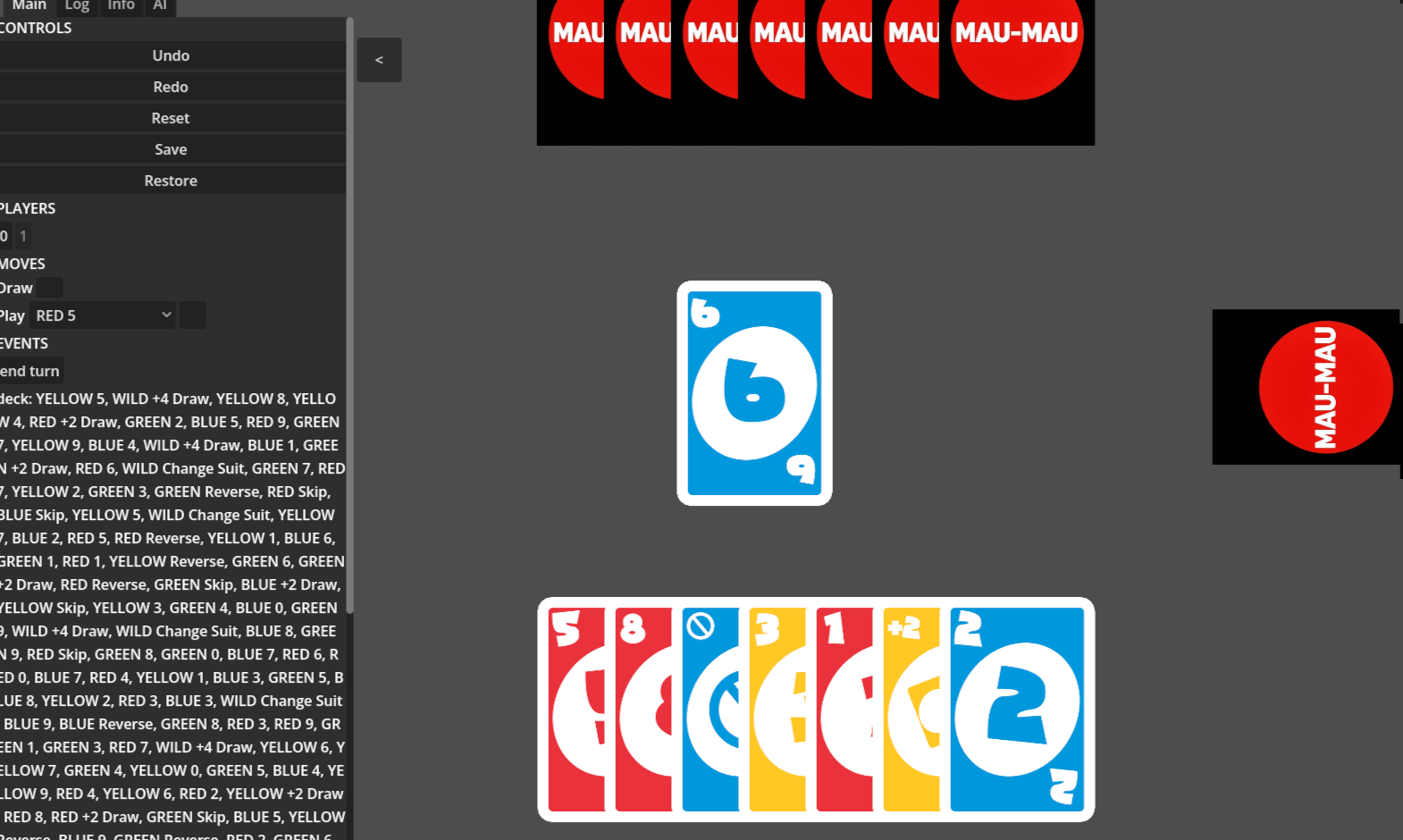
The project is aimed to be two parts. One is the actual framework, and the other being example game projects that implement the framework. A good way to check that the framework is useful is having actual games to use it. Right now, I’m working on a simple Mau-mau style card game, sometimes known as Uno. It’s something simple, but with the core requirements of a card game. Things like turns, and limits on certain cards to play (such as when a player must skip their go).
Some of the architecture that CentriFuGe has is:
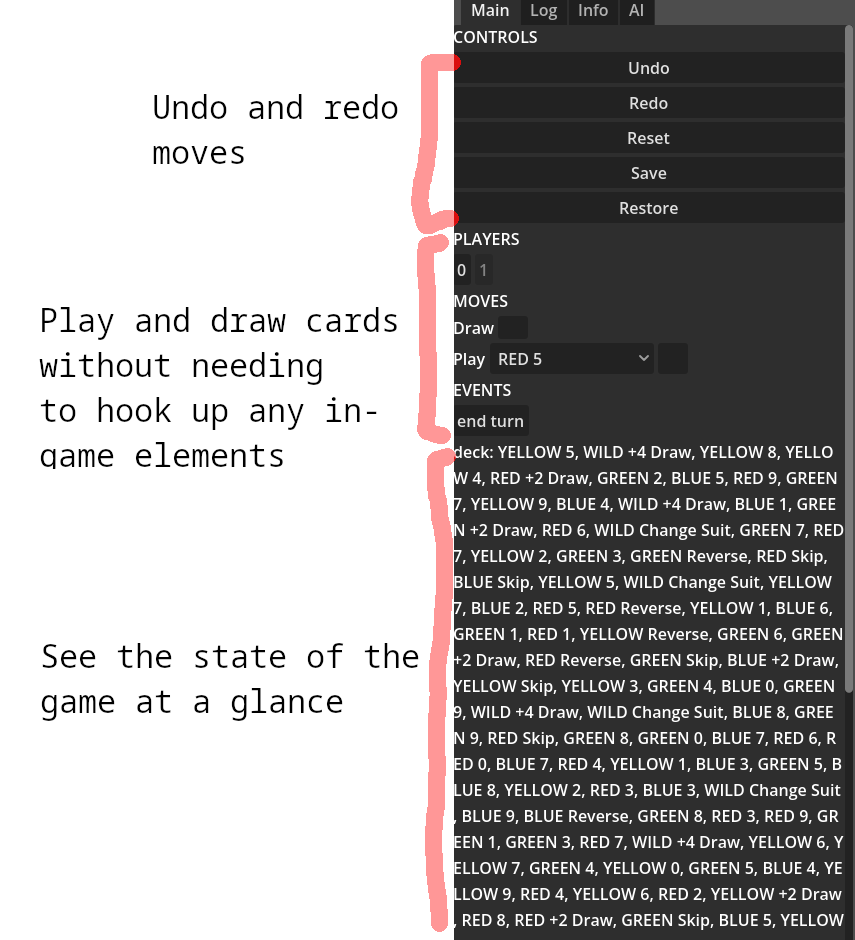
- State management. The state of the game can be saved, loaded, and shared with ease.
- Undo/redo logic. While not necessarily something included in the final game, being able to jump around the game to different points in time and make different choices or debug, is really powerful in development. No need to actually implement how an undo should occur, the game state captures it!
- Logging. Having a visual display of things that have happened to the game state, and have an easier time following the impact of card effects.
A bit under the hood
A fundamental architecture choice for CentriFuGe is the use of a central immutable game state. What this means is:
Imagine you’ve got a board game in front of you. You take a picture of it with your camera. That picture is your immutable game state. You can’t change what the image shows, it’s a snapshot at a given time. When someone plays a card from their hand, you take another picture. That new picture is your new game state. You can go back in time by looking at the other picture you’ve taken.
The equivalent of taking a picture for code is to duplicate the data. Each moment in time is a snapshot that is not altered. When someone interacts with the game a new state is duplicated from the current one, including the new changes. By keeping track of these states, it can be much easier to go forwards and backwards in time.
The state of card games in Godot
A look at some of the resources you might use for coding a card game in Godot.
STS2
It would be remiss of me not to mention the release (into early access) of the top-hit card game developed in Godot, Slay The Spire 2. A really popular roguelike deckbuilder, whose first entry practically created the card-game roguelike subgenre, and I think helped cement roguelike as a genre too.
The game itself shifted from development in Unity to Godot when Unity announced that they would be changing the license fee structure, unannounced. The surprise announcement and lack of trust of using a closed-source engine was enough to make the developers of Slay the Spire restart the whole process in the Godot engine.
Slay the Spire 2 shows that Godot is a game engine that can be used for developing top-quality card games. It is also a clear inspiration for many newer games
Godot Card Game Framework
Moving towards frameworks, there is another card game framework for Godot, simply called Godot Card Game Framework. It aims to provide utilities and classes for setting up a scripted card game, including commonly used classes for things like cards, hands, decks, as well as a method for scripting actions. It is an incredibly popular resource, racking up over a thousand Github stars, placing it as one of the top most popular code packages for Godot.
The popularity of this codebase also make me consider that there is interest in resources to help kickstart card game development.
Godot Card Game Framework’s development has paused for the past few years, and has trouble working in more recent versions of Godot. The author is still active developing other projects, and still clearly has interest in card games, so there can be hope that the project may be updated at some point.
Boardgame.io
Developed by Google, Boardgame.io is a javascript-based framework for implementing board games. Its focus is on a lightweight framework to provide many of the tools most board games need, such as networking, bots, and debugging tool, without forcing too many architectural design patterns.
It’s a neat tool, and I appreciate it for how much it can do with what looks like comparatively little code. It’s a source of design inspiration for my own project as something to achieve for the Godot engine.
Going Forwards
I hope you’ll join me back here soon for more explanation and technical diving into game development.
Cheers, John