Skip to content

Centrifuge

Undo/Redo in Card Games Without Writing Undo Logic

Most undo actions in games require writing precise and careful reverse actions for every move. In CentriFuGe I avoid all this by storing state snapshots of each move.

Hi world,

Having an undo feature in your card game is a very common and useful feature. It can help:

  • Replay a match
  • Save and load the game
  • As a player, undo a mistake you just made
  • As a developer, follow card interactions and debug different actions

An undo system sounds simple enough until you try to implement it.

The usual approach is to write a reverse action, which undoes everything the action performs. This can become brittle very quickly as more complexity is added to the game. This happens especially with the interaction-heavy style of more modern card games, which sport a wealth of different card effects and combinations. One missed interaction can completely break the game.

I didn’t want every move in CentriFuGe, my Card Game Framework, to require hand-written undo code. Instead, I’m choosing a system that is not only simpler, but also has further benefits.
Developing a Shiny New Way to Create Virtual Card Games

Hi, world.

This is my first article of what I hope to be many regarding my software development journey. I would like to start off with an introduction into what I’m building, a Card Game Framework for the Godot game engine called CentriFuGe.

CentriFuGe is all about easing the development of new virtual card games by simplifying the parts that all virtual card games share. Shared aspects are things like having multiple people take turns playing cards and interacting with the board. Or wanting bots to take turns, or to play with other people across the network.

The focus of CentriFuGe is in the logic of the card games. How turns progress, how to handle player turns, and allowing multiple player to interact at the same time. Things that all card games need to handle. It is not focused on the look of the game, the animations, or how to visualise the game state. This allows game designers to hopefully take the underlying logic and craft the artistic style they are looking for.

I hope that development can be guided by community wants. After all, there’s not much point developing a framework just for myself. I hope I can help develop something people of all game development levels find useful.

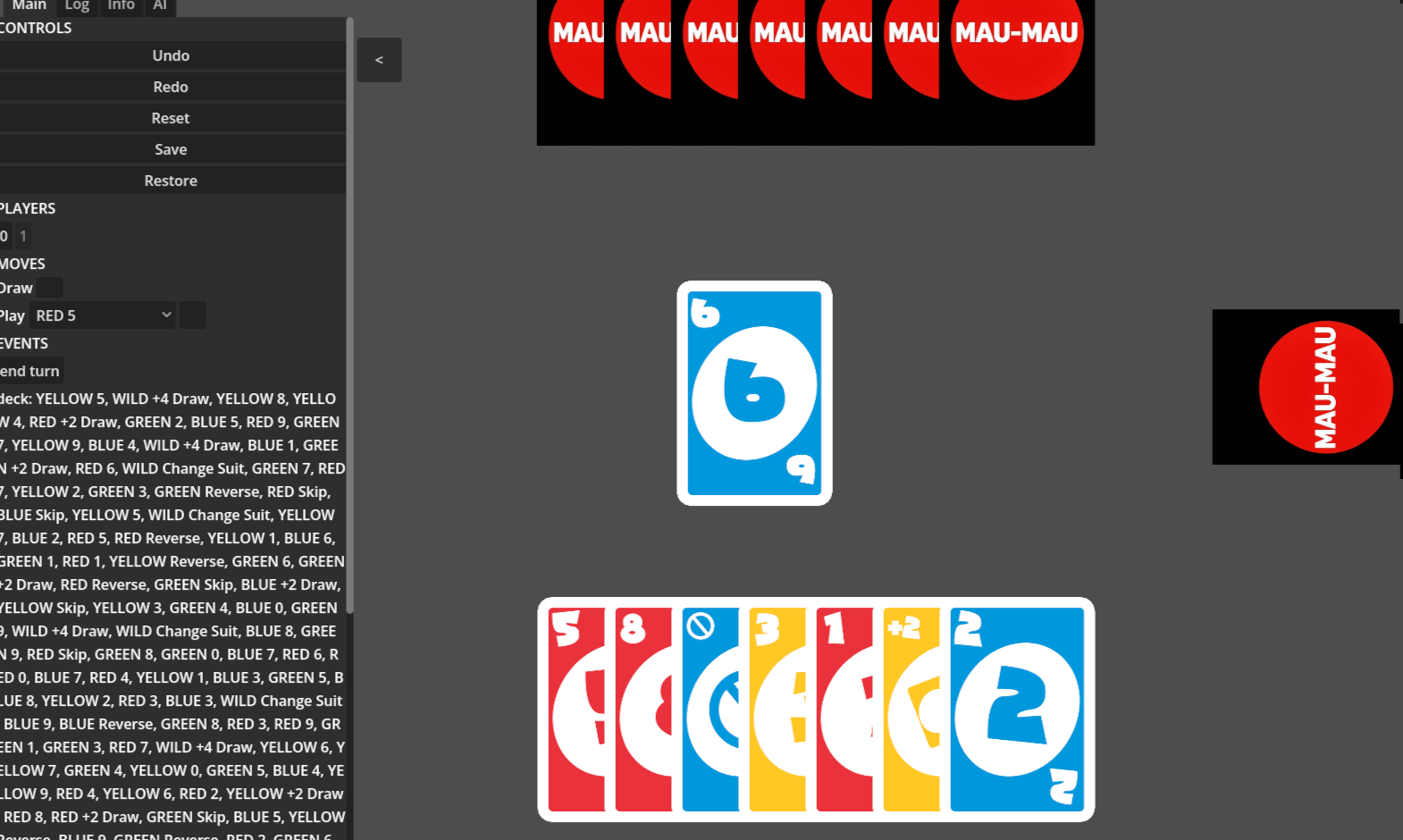
Screenshot of the 2D card game Mau-mau with the CentriFuGe debug window on the left